

GitHub Integration Overview
How it Works
Compyle treats every task as a dedicated pull request (PR) within your repository. This ensures that all AI-generated changes are traceable, isolated, and easy to review before merging.Flexible Collaboration
You can collaborate directly via the standard Git interface—manually pushing commits, creating branches, or managing PRs alongside the agent.
You can collaborate directly via the standard Git interface—manually pushing commits, creating branches, or managing PRs alongside the agent.
Setup
GitHub is the heartbeat of Compyle. Since every task operates directly on a repository, a GitHub connection is mandatory to use the platform.1
Automated Onboarding
When you first log in to Compyle, you will be prompted to connect your GitHub account. This ensures your workspace is ready for development from day one.
2
Install Compyle App
Authorize and install the Compyle GitHub App on your personal account or organization.
3
Grant Access
Create your first project and select the repositories you want the agent to work on, or create new repositories directly through Compyle.
Mandatory Connection
Compyle cannot function without a connected GitHub account, as it uses standard Git workflows to manage all code changes.
Compyle cannot function without a connected GitHub account, as it uses standard Git workflows to manage all code changes.
Committing Changes
You can save your progress at any time directly from the editor:- Open the Git tab.
- Stage the files you want to include.
- Enter a descriptive commit message.
- Push to sync your changes to the remote branch.
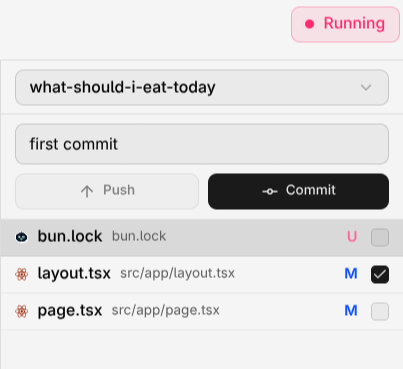
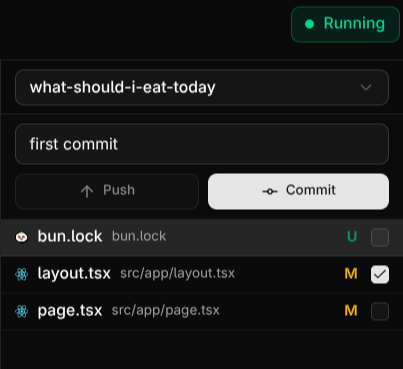
Committing in Compyle
Pull Requests
Manage your integration workflow directly from Compyle:- Sync: Pull the latest changes from your remote repository.
- Push: Upload your local commits to your feature branch.
- PR: Open a Pull Request for code review and merging.
Managing Repositories
In Compyle, repository management is handled at the project level.- Project-Specific Repos: Select a target repository whenever you create a new project. Compyle will then handle all tasks as PRs or branches within that specific repo.
- Permissions: You can update repository access at any time through the Integrations tab in Organization Settings or directly via your GitHub App settings.
- Disconnecting: To remove access, navigate to Integrations and click Disconnect. You should also uninstall the Compyle App from your GitHub account if you wish to revoke all tokens.
GitHub 101
New to Git? Check out our beginner’s guide to GitHub concepts.