> ## Documentation Index
> Fetch the complete documentation index at: https://docs.compyle.ai/llms.txt
> Use this file to discover all available pages before exploring further.

# Teams

The **Teams** feature enables seamless collaboration across shared projects.\
Create team-based workspaces, invite members, and build together in a unified environment.

<Frame caption="Teams Overview">
  <iframe src="https://www.youtube.com/embed/VA430UbkCz4?si=m-i5Q3gve3xb6r0o" title="Teams Overview" className="w-full aspect-video rounded-xl" />
</Frame>

***

## Working with Team Projects

A **Team Project** allows multiple members to create tasks, review work, and collaborate with shared context and structure.

<Callout icon="users" iconType="duotone" color="#3CB878">
  <strong>Team Collaboration</strong><br />
  Every team member can create tasks and, when permitted, view tasks created by others — supporting transparent, coordinated development.
</Callout>

***

## Managing Team Members

Invite teammates via a shareable link or email and assign roles that match your workflow needs.

### Roles & Permissions

* **Owner**: Full administrative access, including managing billing, settings, and removing members.
* **Member**: Can create and view tasks, and collaborate on projects.

<Callout icon="key" iconType="duotone" color="#0070F3">
  <strong>Access Control</strong><br />                                                                                                                                                                                                                                                                                                                                                                                                                                                                                                                                                                                                                                                                                                                                                                                                                                                                                                                                                                                                                                                                                                                                                                                                                                                                                                                                                                                                                                                                                                                                                                                                                                                                                                                          ·                                                                                                                                                                                                                                                                                                                                                                                                                                                                                                                                                                                                                                                                                                                                                                                                                                                                                                                                                                                                                 \`\
  Manage your team effectively by assigning roles (Owner or Member). Owners have the ability to remove teammates and adjust permissions as the team evolves.
</Callout>

***

## Shared Visibility and Tasks

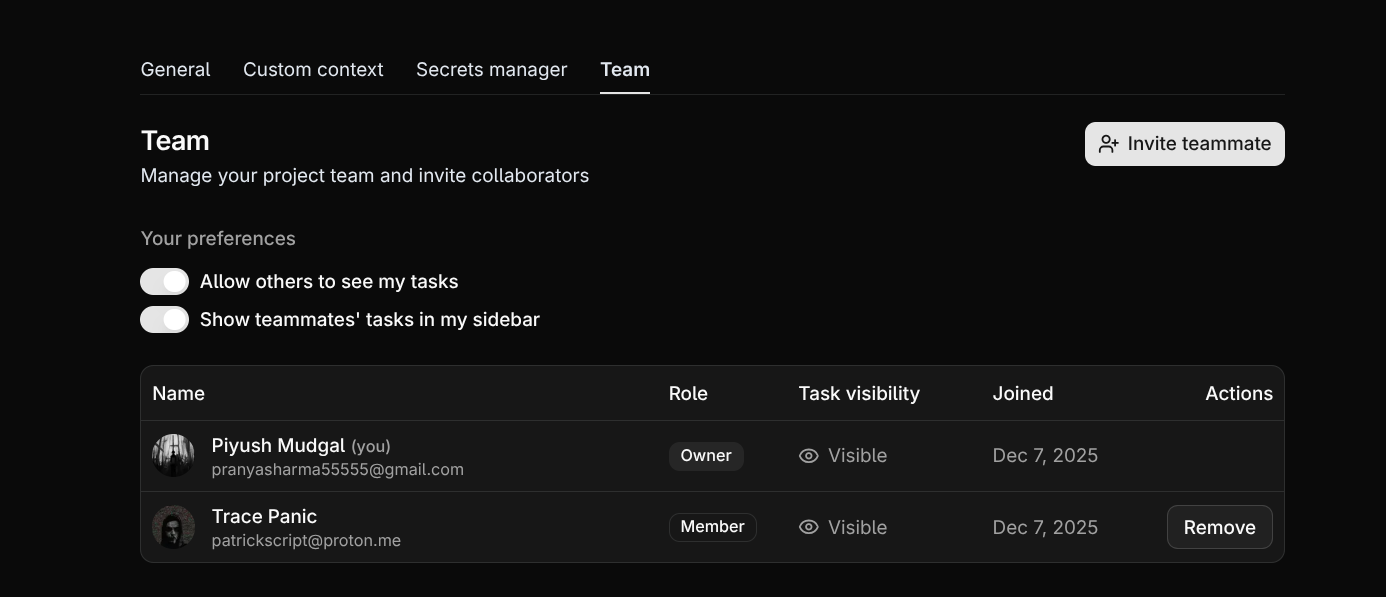
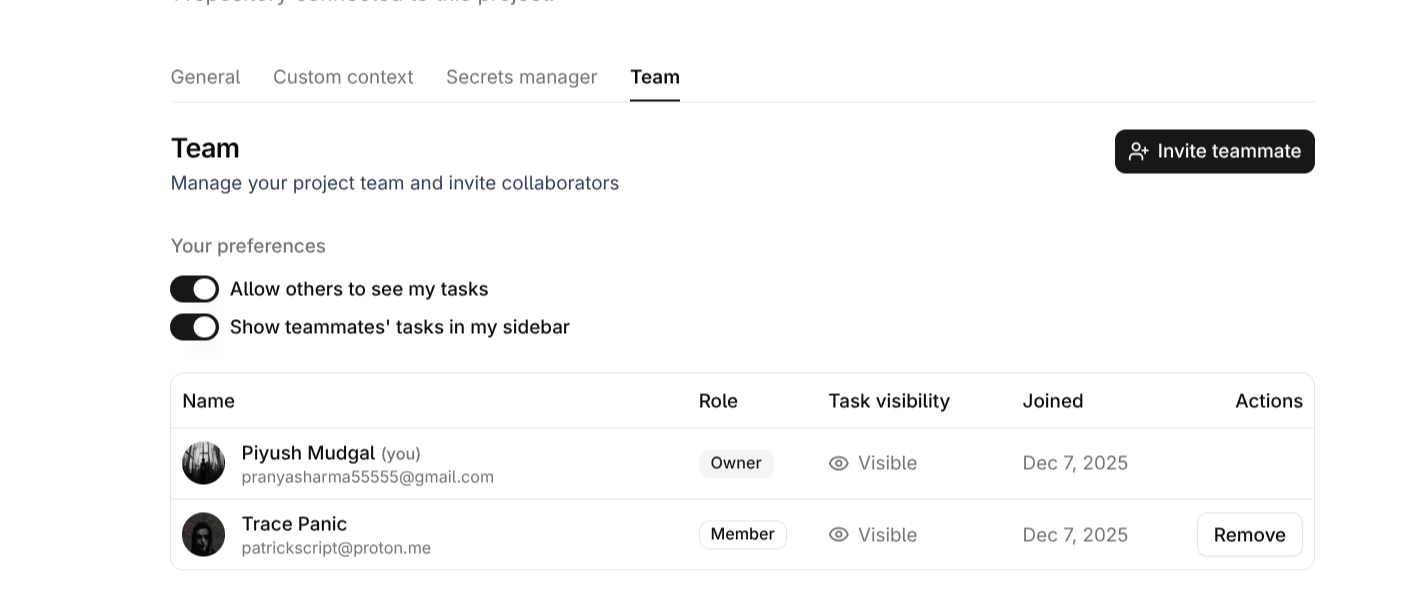
<Frame caption="Shared Visibility">
  <img className="block dark:hidden rounded-2xl my-4 max-w-md mx-auto" src="https://mintcdn.com/compyle-01176785/ScdngifcjjAxbxJw/images/compyle-team-light.png?fit=max&auto=format&n=ScdngifcjjAxbxJw&q=85&s=900813d04e8d210e8a379fabce5bc407" alt="Compyle Teams Light" width="1401" height="594" data-path="images/compyle-team-light.png" />

  <img className="hidden dark:block rounded-2xl my-4 max-w-md mx-auto" src="https://mintcdn.com/compyle-01176785/ScdngifcjjAxbxJw/images/compyle-team-dark.png?fit=max&auto=format&n=ScdngifcjjAxbxJw&q=85&s=849d9ea49405384472c530d613b8c02f" alt="Compyle Teams Dark" width="1386" height="597" data-path="images/compyle-team-dark.png" />
</Frame>

When a member enables **task visibility**, everyone on the team can track their work.\
This fosters transparency, reduces duplicate efforts, and aligns the entire group around shared goals.

<Callout icon="eye" iconType="duotone" color="#F5A623">
  <strong>Task Visibility</strong><br />
  Members can choose whether their tasks are visible to the team — ideal for collaboration, reviews, and shared planning.
</Callout>

***

## Collaboration with CompyleAI

CompyleAI supports full team collaboration with synchronized updates and shared project understanding.\
All members can work concurrently while Compyle maintains structure, safety, and accuracy.

<Callout icon="bolt" iconType="duotone" color="#3CB878">
  <strong>Real-Time Team Support</strong><br />
  Work together effortlessly with live updates, synchronized changes, and a consistent project context across the entire team.
</Callout>