> ## Documentation Index
> Fetch the complete documentation index at: https://docs.compyle.ai/llms.txt
> Use this file to discover all available pages before exploring further.

# Rules

<Callout type="info" icon="sliders" color="#3B82F6">
  Define project-wide rules to guide how the agent writes code, organizes files, and follows your development standards.
</Callout>

<Frame caption="Rules Overview">
  <iframe src="https://www.youtube.com/embed/jRM_6Eu1Gew?si=oUo28pVklcm0jrtx" title="Rules Overview" className="w-full aspect-video rounded-xl" />
</Frame>

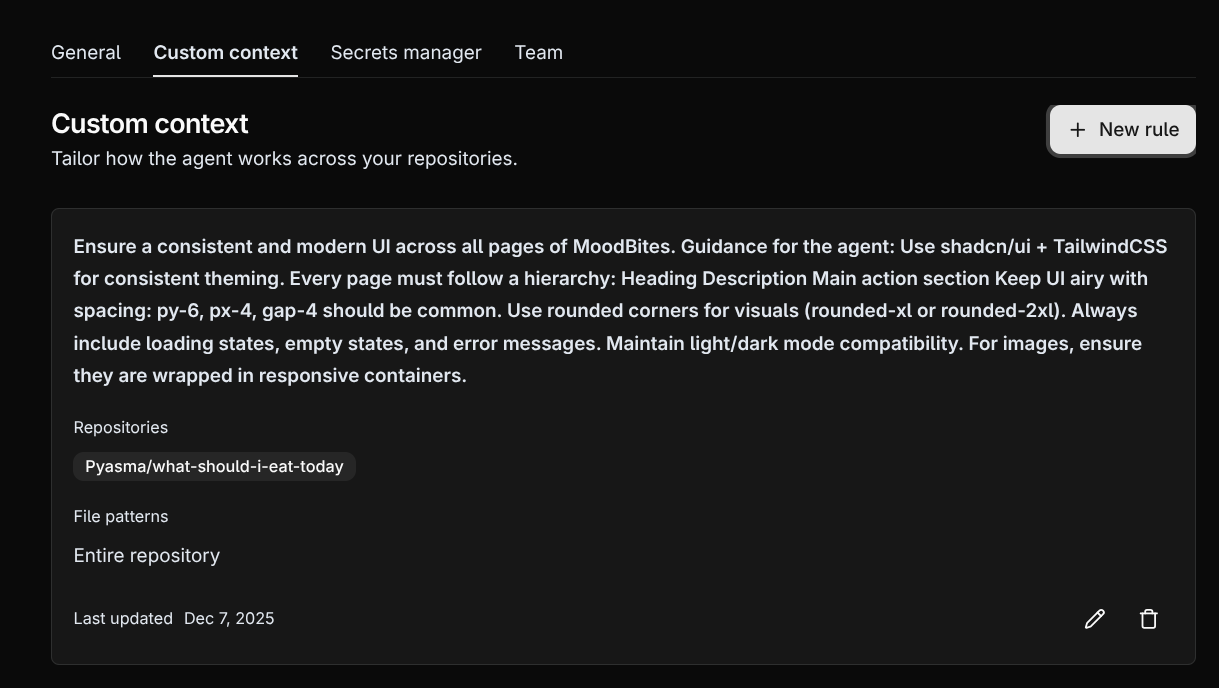
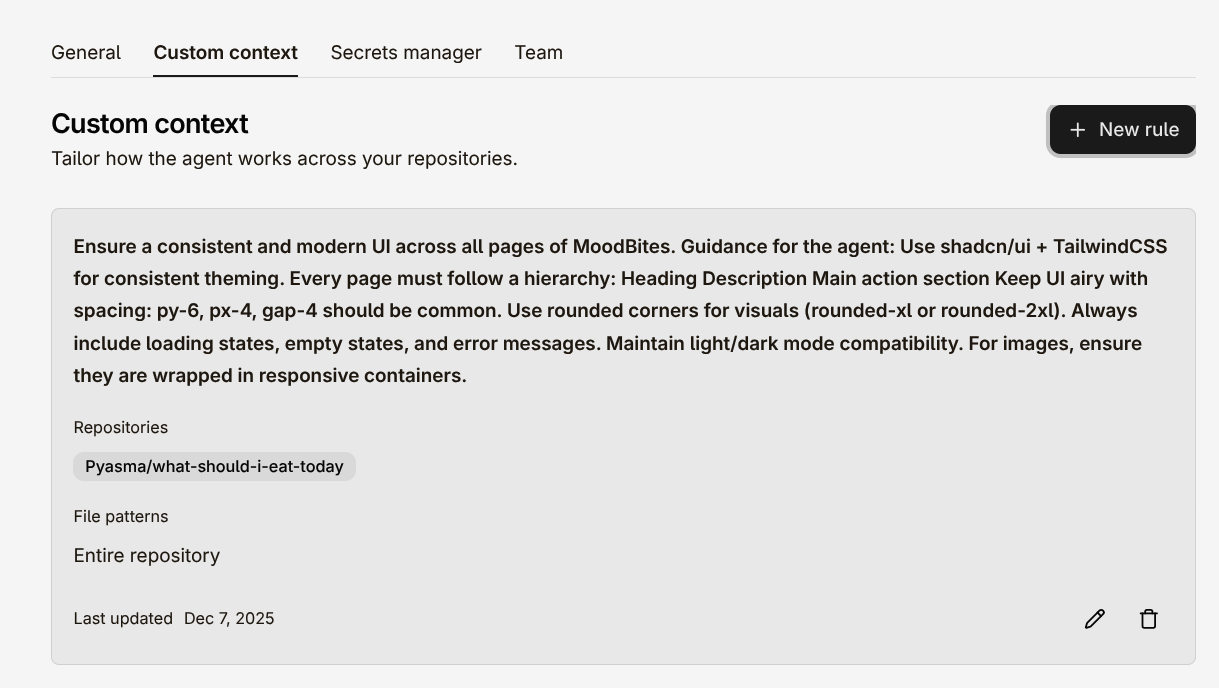
You can create **custom rules** for your project to enforce consistent behaviors or automate recurring workflows.\
Rules help Compyle understand your expectations so the agent works exactly the way you want.

<Callout type="info" icon="wand-sparkles" color="#A855F7">
  Once saved, the agent automatically applies your rules during code generation — ensuring structure, consistency, and predictable results.
</Callout>

<img className="block dark:hidden rounded-2xl my-4 max-w-md mx-auto" src="https://mintcdn.com/compyle-01176785/ScdngifcjjAxbxJw/images/compyle-light-context.png?fit=max&auto=format&n=ScdngifcjjAxbxJw&q=85&s=78abb180885444667542bad76e7d9ece" alt="Compyle Rules Light" width="1219" height="688" data-path="images/compyle-light-context.png" />

<img className="hidden dark:block rounded-2xl my-4 max-w-md mx-auto" src="https://mintcdn.com/compyle-01176785/ScdngifcjjAxbxJw/images/compyle-dark-context.png?fit=max&auto=format&n=ScdngifcjjAxbxJw&q=85&s=b589a210971014508f6835c6dcb8a53a" alt="Compyle Rules Dark" width="1219" height="688" data-path="images/compyle-dark-context.png" />