> ## Documentation Index
> Fetch the complete documentation index at: https://docs.compyle.ai/llms.txt
> Use this file to discover all available pages before exploring further.

# Interactive Planning

**Interactive Planning** is where Compyle asks targeted questions to clarify your requirements before generating code.

<Frame caption="Interactive Planning Overview">
  <iframe src="https://www.youtube.com/embed/9cW8Jv0c2zM?si=tzixpYJz2VAG-cos" title="YouTube video player" className="w-full aspect-video rounded-xl" referrerpolicy="strict-origin-when-cross-origin" allowfullscreen />
</Frame>

***

## Question Types

Compyle uses **three question formats** to gather information efficiently.

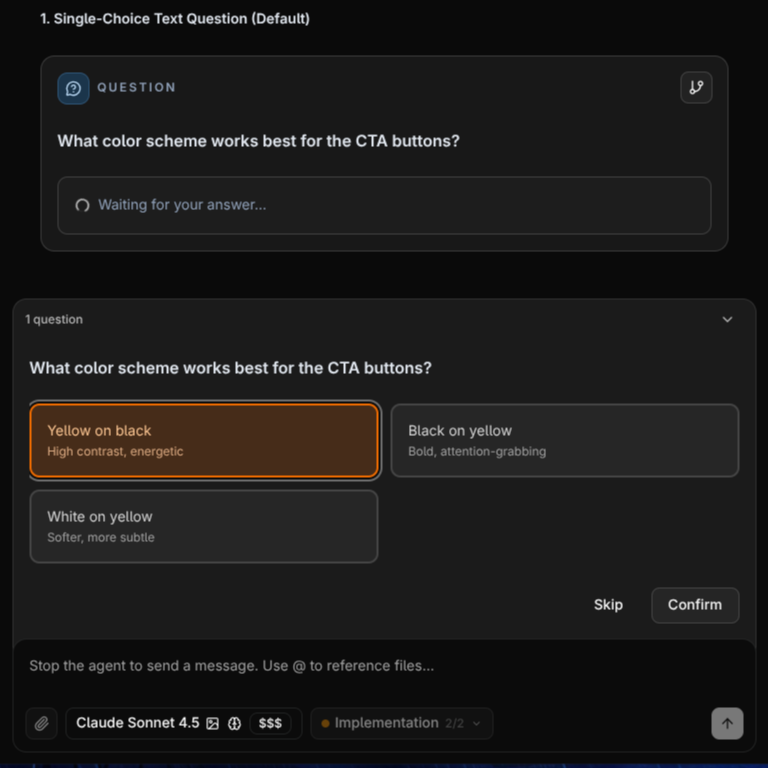
### Single-Choice Questions

Select one option from 2-4 text choices for straightforward decisions like database selection or authentication methods.

<Frame caption="Single-Choice Question Example">
  <img className="block rounded-md" src="https://mintcdn.com/compyle-01176785/zRcscAje3PNLk_rz/images/Compyle-SingleChoice.png?fit=max&auto=format&n=zRcscAje3PNLk_rz&q=85&s=00e7940523568adb6ce78529873f354d" alt="Single-Choice Question Example" width="768" height="768" data-path="images/Compyle-SingleChoice.png" />
</Frame>

### Multi-Select Questions

Check multiple options simultaneously for feature selection, API integrations, or UI components.
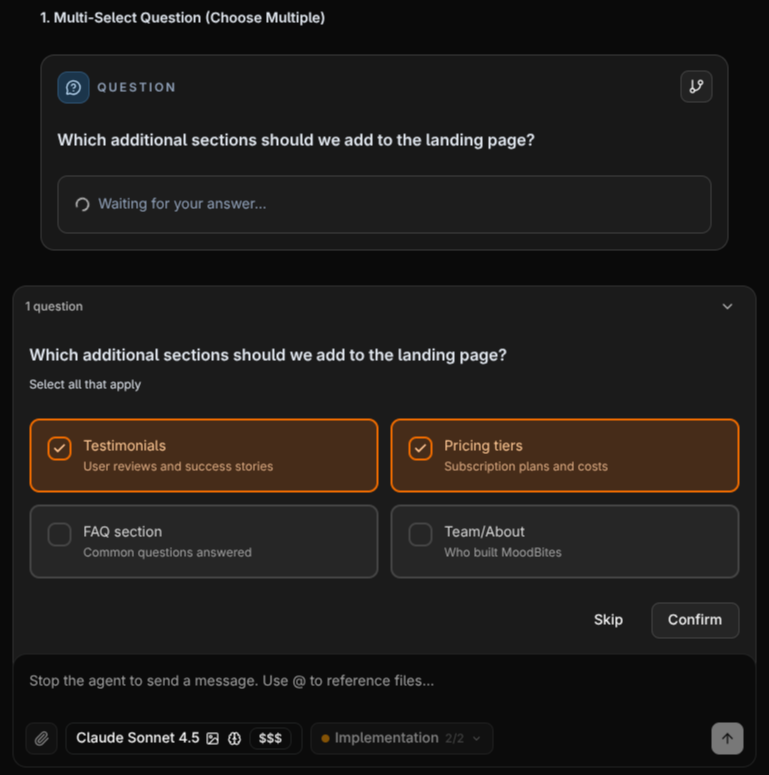
<Frame caption="Multi-Select Question Example">
  <img className="block rounded-md" src="https://mintcdn.com/compyle-01176785/zRcscAje3PNLk_rz/images/Compyle-MultipleChoice.png?fit=max&auto=format&n=zRcscAje3PNLk_rz&q=85&s=b15ffc0e964eac8052bc4018f86dd370" alt="Multi-Select Question Example" width="769" height="775" data-path="images/Compyle-MultipleChoice.png" />
</Frame>

### Design Suggestion Comparison

Agent suggests design options with visual previews to help you choose the best look for your project.
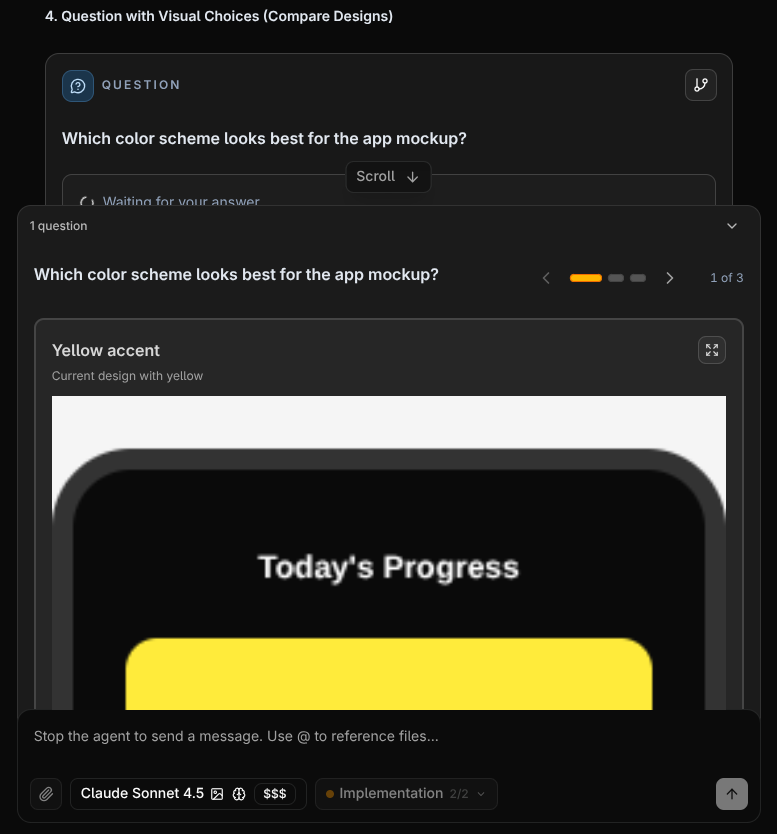
<Frame caption="Design Suggestion Comparison Example">
  <img className="block rounded-md" src="https://mintcdn.com/compyle-01176785/zRcscAje3PNLk_rz/images/Compyle-ImageQuestion.png?fit=max&auto=format&n=zRcscAje3PNLk_rz&q=85&s=a86e3b50d381510bc45c8aa0ef561c93" alt="Design Suggestion Comparison Example" width="777" height="834" data-path="images/Compyle-ImageQuestion.png" />
</Frame>

<Callout icon="message-lines" iconType="duotone" color="#0070F3">
  If the option doesn't match what you want you can provide a custom input through the input box and agent will work on the updates
</Callout>

***

## Click-to-Edit Template

Click on design elements in the preview to reference specific components when answering planning questions. Select up to 5 components, and the agent understands exactly what you're referring to.

<div className="grid grid-cols-2 gap-4">
  <Frame caption="Android">
    <iframe src="https://www.youtube.com/embed/f1eeE1zYr6o?si=C3fZEm8bMdSTnTbP" title="YouTube video player" className="w-full aspect-video rounded-xl" referrerpolicy="strict-origin-when-cross-origin" allowfullscreen />
  </Frame>

  <Frame caption="Web">
    <iframe src="https://www.youtube.com/embed/lD0VX_r2Sl8?si=67Ylczwak-db72p_" title="YouTube video player" className="w-full aspect-video rounded-xl" referrerpolicy="strict-origin-when-cross-origin" allowfullscreen />
  </Frame>
</div>
